Burning the Midnight Oil
- Lamplit Latent
- Moonlit Model
- Afterhours Attention
 Vibe in Color
Themes for the ChatGPT macOS app
Choose from 300 original themes, import a palette, or create your own. Set separate Interface, Content, and Code fonts, see each one in the preview, then copy the complete theme into ChatGPT.
Free Apple-notarized No account Runs locally No analytics
App walkthrough · 95 seconds
Choose a vibe, browse themes, tune fonts, save favorites, and create your own palette. This walkthrough shows an earlier release; version 0.5.0 adds separate Content fonts and a simpler preview.
Codex themes · ChatGPT Mac themes
Each curated vibe contains thirty original themes, split across 150 light and 150 dark palettes. Import or create your own light and dark themes, tag each one to every vibe it fits, and keep anything else in For Any Mood.
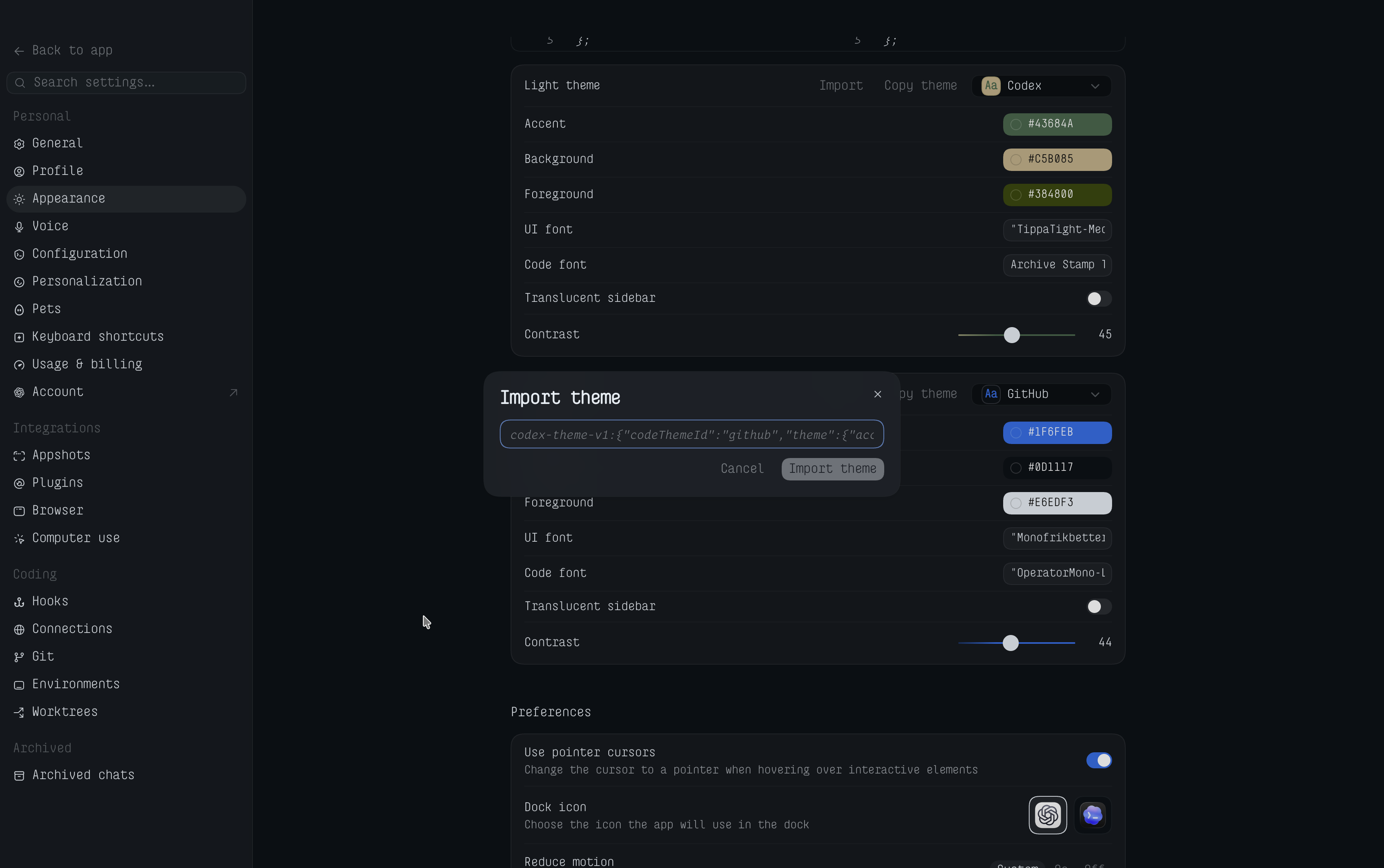
Import into the ChatGPT macOS app
Vibe in Color copies the complete theme as a codex-theme-v1 value, ready for ChatGPT’s built-in theme importer.
Choose a theme, set its Interface, Content, and Code fonts, then click Copy for ChatGPT. Content can follow Interface or use its own family and style. Preview sizes stay in Vibe in Color.
In the ChatGPT macOS app, open Settings → Appearance.
On the matching Light theme or Dark theme card, click Import, paste, then click Import theme.
Uses codex-theme-v1 with separate Interface, Content, and Code fonts. All 300 bundled exports and the three-font import and export cases pass the automated format validator. The last recorded maintainer import check was for Vibe in Color 0.4.0 with ChatGPT for macOS 26.727.51351, build 6119. The importer format may evolve between releases.
Why I made it
Vibe in Color started as a tool for myself. I digest information better when it is framed in colors that closely reflect my mood and whatever I happen to be doing.
It was true with IDEs. With agents, it became even more obvious.
In short: my vibes need a color. I’m sharing it freely in case yours do too.
Version 0.5.0 · Ready to download
Vibe in Color is free, Apple-notarized software that runs entirely on your Mac with no analytics, account, or network requests.
ChatGPT macOS app · Settings → Appearance → Import